
Page History
텍스트로 표현된 전송 이벤트는 채팅이 되고, 이를 그래픽화하여 렌더링하고 몇 가지 규칙을 추가하면 게임으로 확장될 수 있습니다.
유니티 같은 게임 엔진을 활용해 노코딩으로도 고퀄리티 3D 게임을 제작할 수 있지만
웹 기반 환경에서 출발하여 브라우저에서 멀티플레이어로 동작할 수 있는 코드를 AI를 이용해 조금씩 디벨롭 했으며
제작 과정에서 사용한 프롬프트및 AI가 생성한 코드, 그리고 실제로 동작하는 전체 코드를 공유합니다.
기술적으로는 웹소켓과 액터 모델을 결합하면 어렵고 복잡할것같은 멀티플레이어 처리를 AI와 협업하여 직관적으로 구현할 수 있는점과
웹환경,웹진영 기술만 이용해 게임에 사용되는 요소를 파악하고 풀스택 멀티플레이어 게임 제작에 도전할수 있는 가능성을 연구해볼수 있습니다.
개발환경
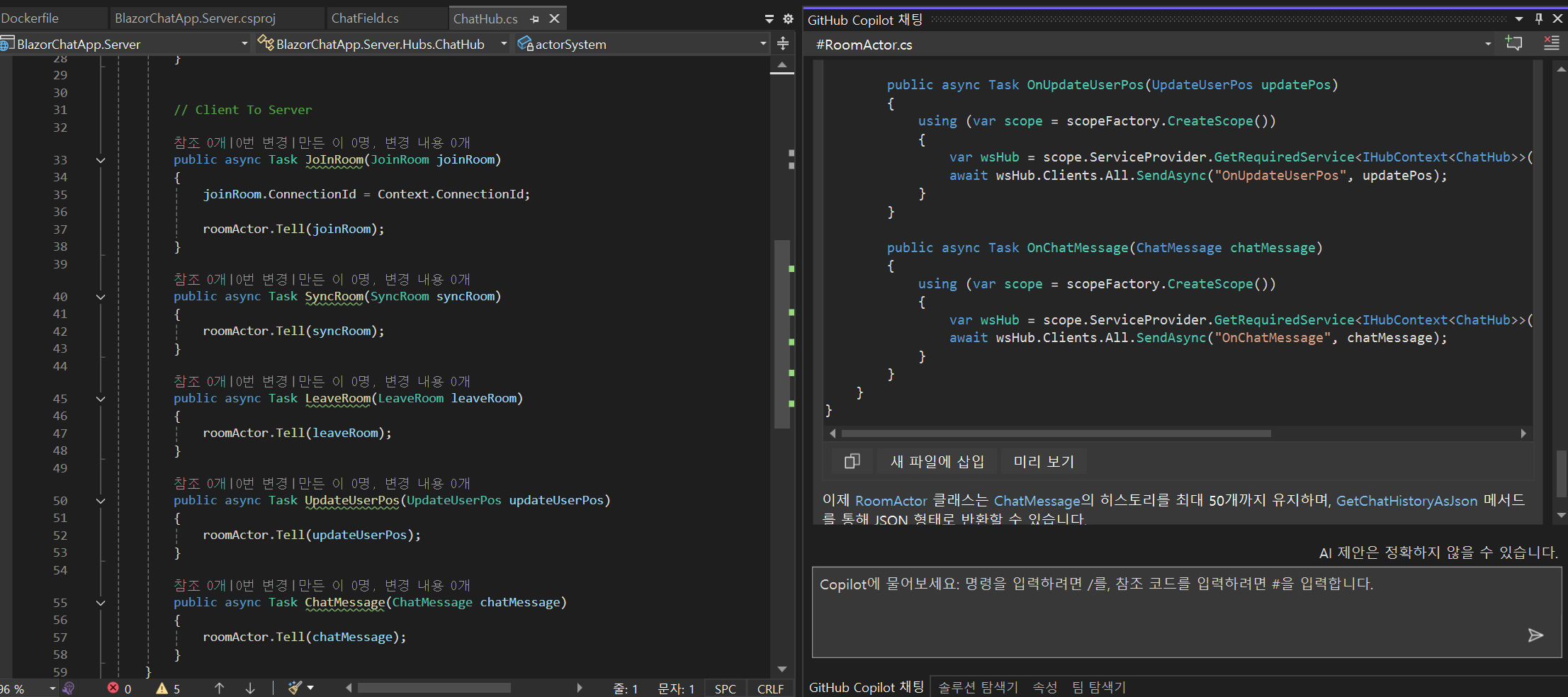
- Visual Studio 2022
- 프론트 기술
- Blazor.net 베이스에 Html5 탑재
- 서버기술
- 웹소켓 - 시그널R
- 서버로직 : 액터모델
- 코파일럿 이용팁
- 기존코드 수정 : #a.cs 으로 관련 코드를 참고시킨후~ 조정할 부분을 요청
- 신규기능 : #a.cs 를 참고해, 새로운 기능을 만들어 달라고 요청
기본베이스
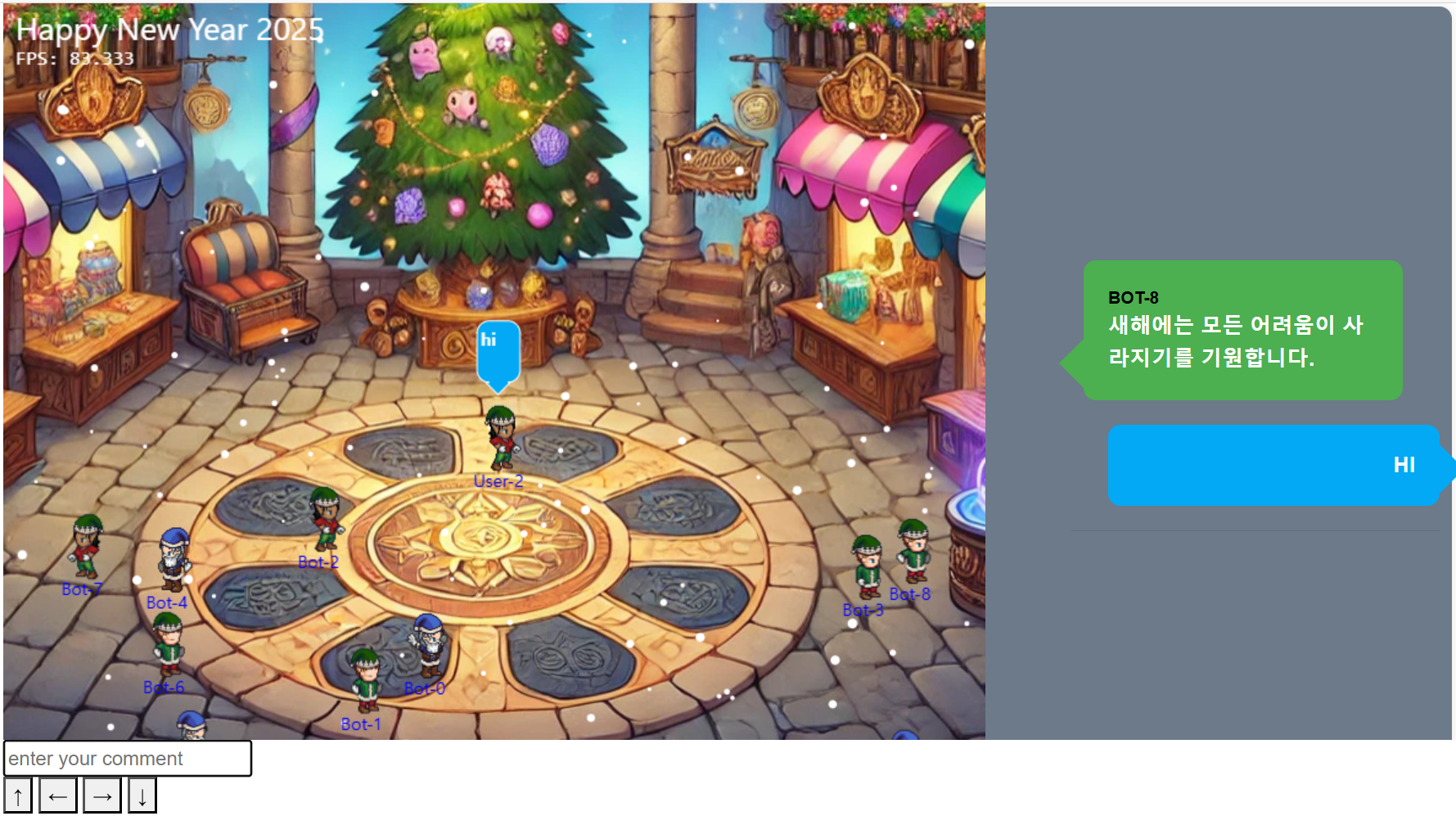
- 배경 : 하늘에서 눈내림 - 배경및 눈내리는 애니 AI에 요청해 제작)
- 캐릭터 : 스프라이트 애니사용해 걷기,춤추기만 가능 - 칼 휘두르고 pvp추가하면 게임, 전투못하면 메타임
- NPC - 랜덤하게 돌아다니며 새해인사만함 - llm연결해 더 똑똑하게 만들수 있음
- 칼 휘두르고 pvp되면 게임으로 변신가능
- NPC가 작동하며
작동서버
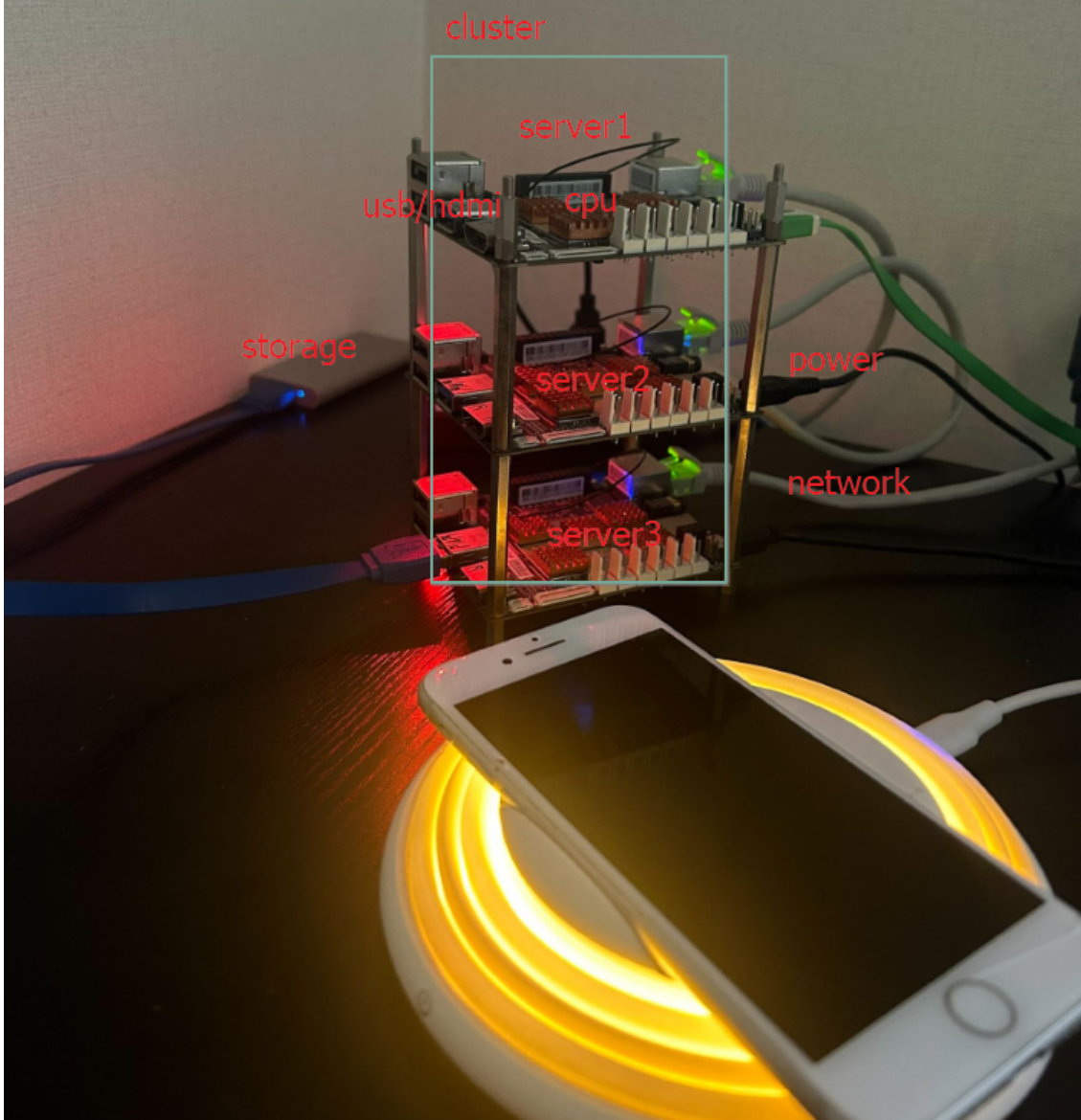
- 미니멀하게 돌아가는 초전력 클러스터 서버에서 구동되며 초저전력 으로작동동접초과시 안전을 위해 이용불가될수 있습니다.
링크 :
제작과정중 사용된 프롬프트및 생성코드
| Info |
|---|
hubConnection 에서 커넥트가 최초 성공하면 수신기 만들어죠 |
...
| Code Block | ||||||
|---|---|---|---|---|---|---|
| ||||||
public async ValueTask Render(SceneContext game, Canvas2DContext context)
{
    string NameText = Name;

    if (!string.IsNullOrEmpty(ChatMessage))
    {
        NameText = NameText + "-" + ChatMessage;
        ChatViewTime--;
    }

    if (ChatViewTime < 0)
    {
        ChatMessage = string.Empty;
    }

    await context.SaveAsync();

    // 닉네임
    await context.SetFontAsync("14px 바탕체");
    await context.SetFillStyleAsync("Blue");
    await context.FillTextAsync(Name, _transform.Local.Position.X + 10, _transform.Local.Position.Y + 75);

    if (!string.IsNullOrEmpty(ChatMessage))
    {
        // 채팅 Box
        int padding = 10;
        int dynamicWidth = 50 + ((ChatMessage.Length - 3) * 15);
        int dynamicHeight = 50;

        float boxX = _transform.Local.Position.X + 20;
        float boxY = _transform.Local.Position.Y - 40;
        float tailWidth = 10;
        float tailHeight = 10;

        // 말풍선 배경
        await context.BeginPathAsync();
        await context.MoveToAsync(boxX, boxY);
        await context.LineToAsync(boxX + dynamicWidth, boxY);
        await context.LineToAsync(boxX + dynamicWidth, boxY + dynamicHeight);
        await context.LineToAsync(boxX + dynamicWidth / 2 + tailWidth, boxY + dynamicHeight);
        await context.LineToAsync(boxX + dynamicWidth / 2, boxY + dynamicHeight + tailHeight);
        await context.LineToAsync(boxX + dynamicWidth / 2 - tailWidth, boxY + dynamicHeight);
        await context.LineToAsync(boxX, boxY + dynamicHeight);
        await context.ClosePathAsync();
        await context.SetFillStyleAsync("White");
        await context.FillAsync();

        // 말풍선 테두리
        await context.SetStrokeStyleAsync("Black");
        await context.StrokeAsync();

        // 채팅 메시지
        await context.SetFillStyleAsync("Black");
        await context.FillTextAsync(ChatMessage, boxX + padding, boxY + padding + 20);
    }

    if (_isMine)
    {
        // 추가적인 렌더링 로직이 필요하다면 여기에 작성
    }

    await context.RestoreAsync();
}
|
여기서 작동하는 핵심 서버 로직은 액터모델로 구현되었으며 자바/코틀린/닷넷 동일컨셉으로 모두 이용가능하며 관련기술은 다음 공간에서 확인할수 있습니다.